
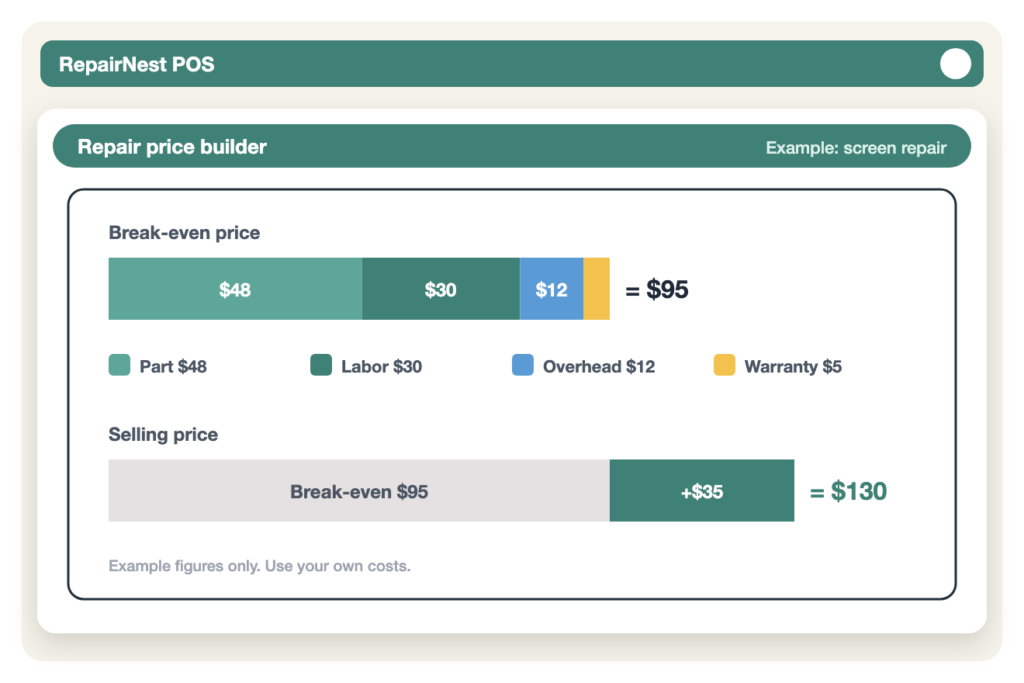
Most repair shops set prices by looking at what the shop down the street charges, then going a few dollars lower. It feels safe, but it means your prices are built on someone else’s costs, not yours. When a part goes up, a repair comes back under warranty, or a technician spends an extra hour on a stubborn board, the profit on that job quietly disappears.
This guide gives you a simple way to price phone repairs from your own numbers. It works for screens, batteries, charging ports and back glass, and the same method applies to tablets, computers and game consoles.
Quick Answer
To price a phone repair, add four things: what the part costs you, your labor (repair time multiplied by your hourly rate), a share of your shop’s running costs, and a small buffer for warranty returns. That total is your break-even price. Then add your profit margin on top and compare the result with your local market. If your price is far above the market, look at your costs before you cut your price.
The Four Costs Inside Every Repair Price
Every repair you sell carries the same four costs, whether or not you write them down.
1. Parts cost
This is what you paid for the part, including shipping and any card or supplier fees. Use your real landed cost, not the price on the supplier’s website. If you buy in bulk, divide the full order cost, shipping included, by the number of parts.
2. Labor
Labor is the repair time multiplied by your hourly labor rate. Time should include the whole job: checking the device in, testing it before and after, the repair itself, and cleaning up. A screen that takes 25 minutes on the bench often takes 40 minutes from start to finish.
3. Overhead
Rent, utilities, software, insurance and wages for time that is not spent repairing all have to be paid by the jobs you do. The simplest way to include them is to work out your overhead per repair: total monthly running costs divided by the number of repairs you complete in a typical month.
4. Warranty and risk buffer
Some repairs come back. A part fails, a flex cable tears, or a device that looked fine turns out to have a second fault. Add a small buffer to each repair to cover those returns, larger for delicate jobs such as foldable screens or board work.
A Simple Pricing Formula
Put the four costs together and you have your break-even price, the lowest price at which a repair does not lose money:
- Break-even price = parts cost + labor + overhead per repair + warranty buffer
- Selling price = break-even price + your profit margin
Here is a worked example. The numbers are for illustration only, so replace them with your own.
- Screen part, including shipping: $48
- Labor: 40 minutes at $45 per hour = $30
- Overhead per repair: $12
- Warranty buffer: $5
- Break-even price: $95
- Add a profit margin of $35: selling price $130
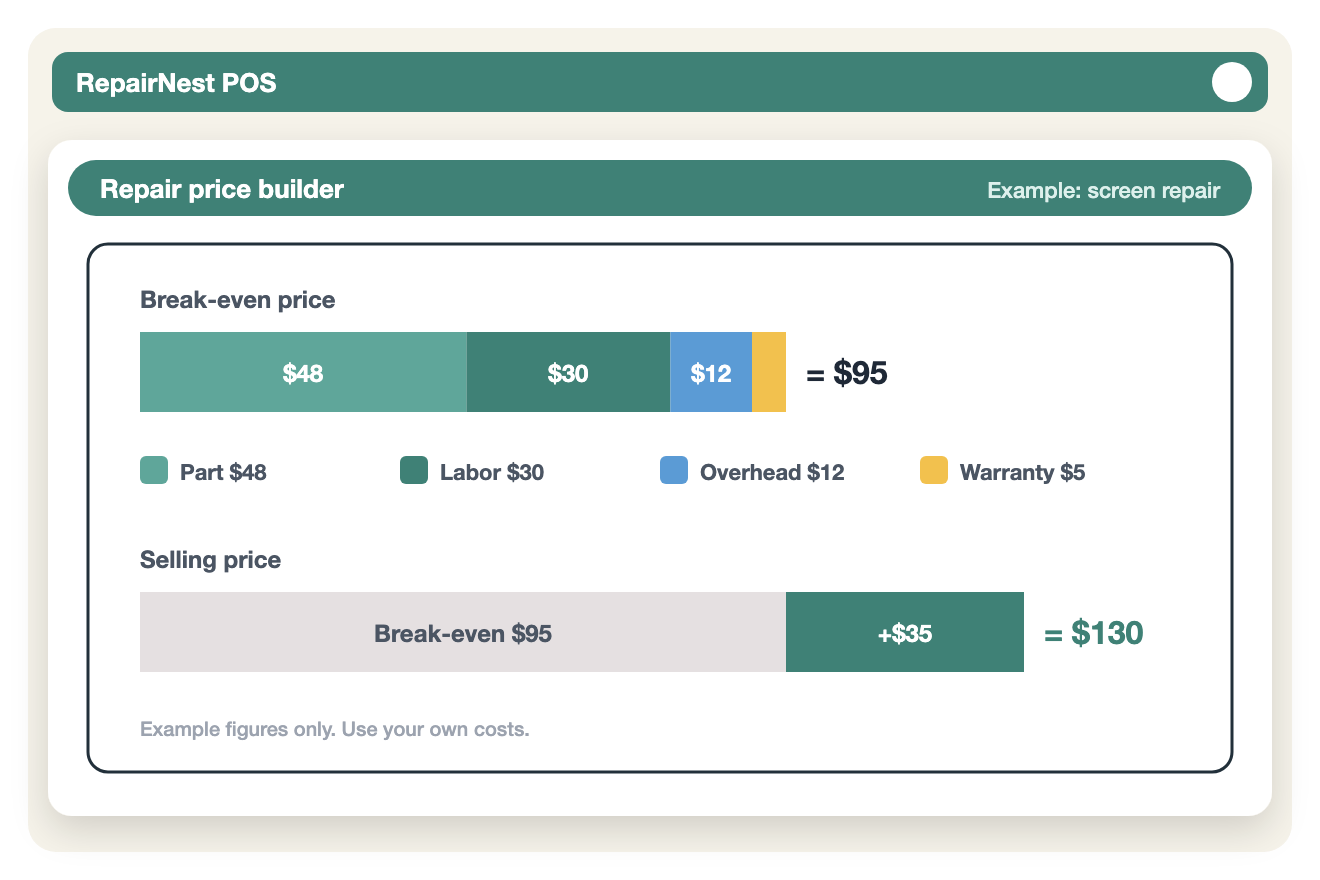
If the shops near you charge $120 for the same screen, you now know you have $25 of room before the job stops being worth doing. If they charge $90, you know matching them would mean losing money on every screen, and you can decide what to do about it instead of finding out at the end of the month.
How to Set Your Labor Rate
Your labor rate is the number most shops guess at. Work it out instead:
- Decide what a technician’s hour has to cover: their pay, plus the profit you want from their time.
- Count only productive hours. A technician in an eight-hour shift rarely spends more than five or six hours actually repairing.
- Divide what you need from a day by the productive hours in that day.
If your labor rate comes out higher than you expected, that is useful information. It usually means time is leaking somewhere: waiting for parts, devices that sit untouched, or repeat work.
Offer Part Options, Not Just One Price
Many customers decide on price first and quality second. Offering two or three part options lets them choose, and keeps the conversation away from “can you do it cheaper?”.
- Value: a lower-cost aftermarket part with a shorter warranty.
- Standard: a better-quality part and your normal warranty.
- Premium: the best part you can source, with your longest warranty.
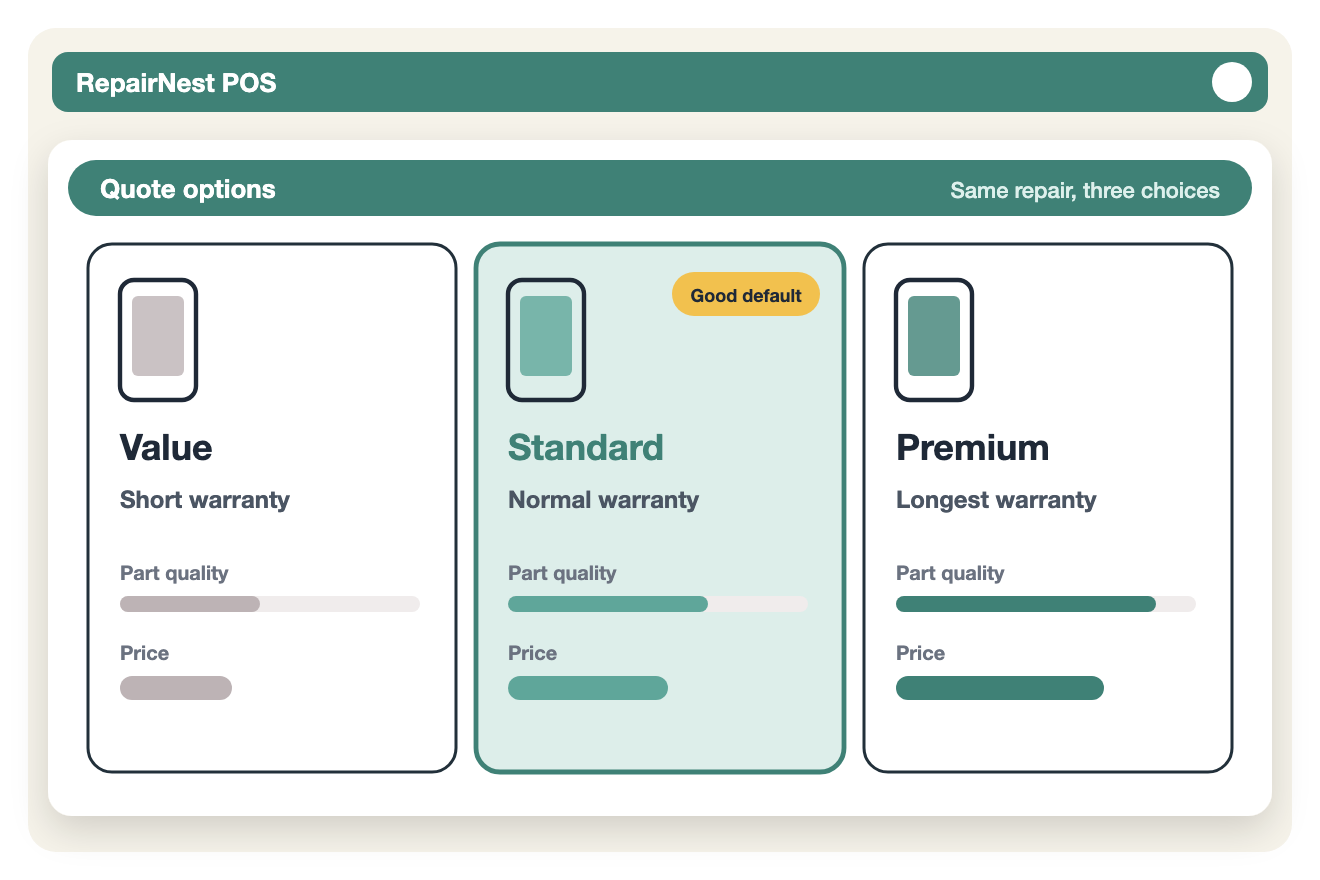
Price each option with the same formula. The labor and overhead stay the same, so the difference between the options should mostly come from the part cost and the warranty buffer.
Build a Price List Your Whole Team Uses
Prices that live in one person’s head change with whoever is at the counter. A written price list, kept in your POS, means every employee quotes the same price for the same job.
- List your most common repairs by model, with the price for each part option.
- Note the repair time you expect for each job, so you can spot when jobs run long.
- Mark repairs that need a diagnosis first, such as water damage or board faults, and charge a diagnostic fee you can credit toward the repair.
- Take a deposit before ordering special parts, so you are not left holding parts for customers who never return.
Review Your Prices Every Month
Part prices move, and new models arrive with very different repair costs. A short monthly review keeps your prices honest:
- Compare the profit on each repair type with what you expected.
- Check which repairs take longer than your price assumes.
- Look at how many repairs came back under warranty, and from which part supplier.
- Update prices for any part that has gone up by more than a few dollars.
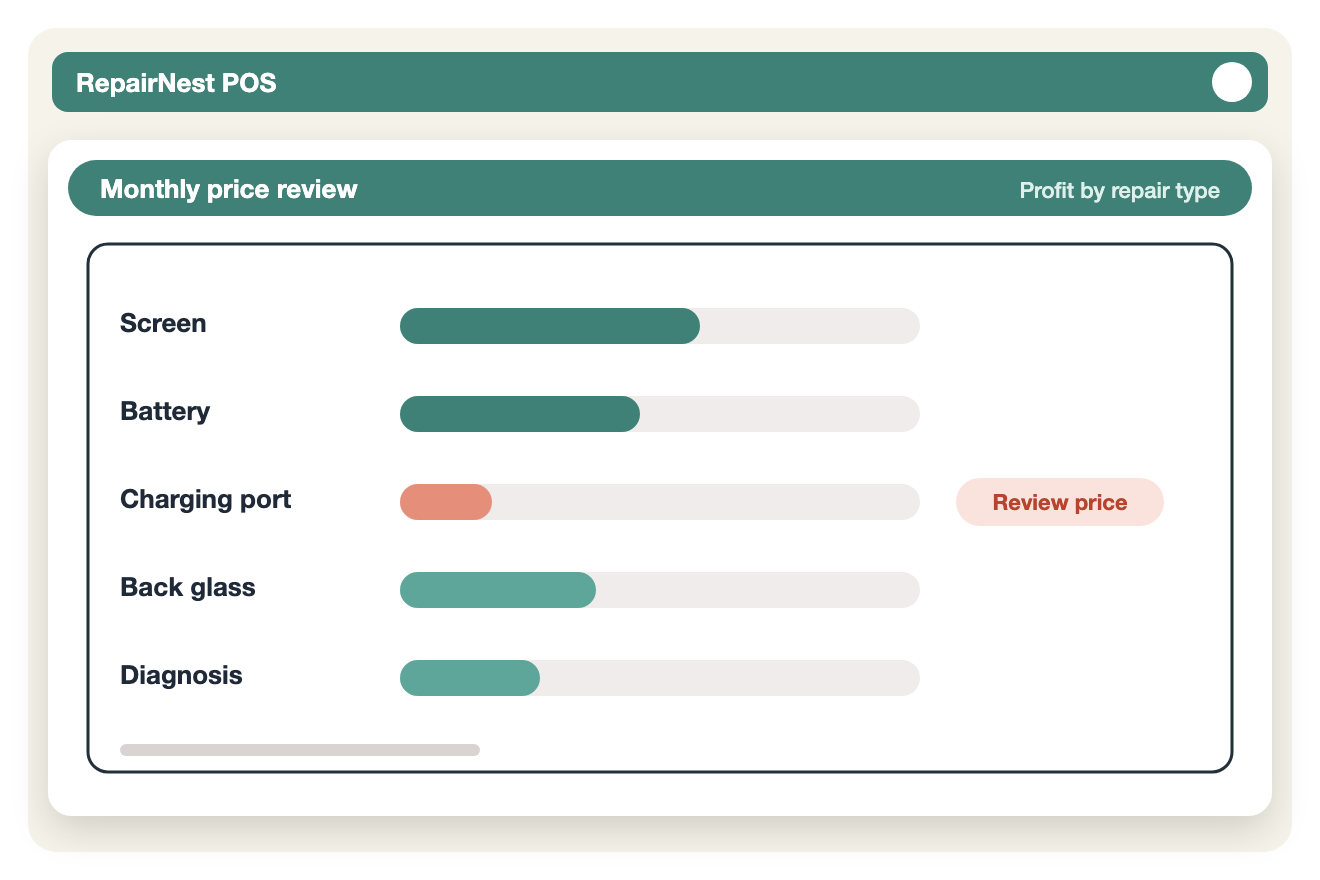
This is where your POS reports earn their place. If every repair ticket records the parts used and the price charged, you can see the real margin per repair type in a few minutes instead of rebuilding it in a spreadsheet. Our guide on using POS reports to increase profitability covers which reports to check.
Pricing Mistakes to Avoid
- Copying the cheapest shop. Their costs and yours are not the same.
- Forgetting the time around the repair. Check-in, testing and customer calls are part of the job.
- Not charging for diagnosis. Free diagnosis on complex faults means working for free when the customer says no.
- Same warranty for every part. Match the warranty to the part quality.
- Setting prices once and never checking them. A price that worked last year may lose money today.
Frequently Asked Questions
How much should I charge for a phone screen repair?
There is no single right price, because it depends on the model, the part you use and your own costs. Use the formula above: parts, labor, overhead and a warranty buffer give you your break-even price, and your margin goes on top. Then check the result against local prices.
What profit margin should a repair shop aim for?
It varies by repair type and by how busy your shop is. What matters most is knowing your break-even price for each repair, so that every price you set covers your costs and leaves a margin you have chosen on purpose.
Should I charge a diagnostic fee?
For faults that take real time to find, such as water damage, no power or board problems, a diagnostic fee protects your time. Many shops credit the fee toward the repair if the customer goes ahead.
How do I price repairs on brand-new models?
Parts for new models are often expensive and hard to find at first. Price them with the same formula, use a larger warranty buffer, and review the price once parts become easier to source. Our article on pricing foldable phone repairs walks through an example.
Put Your Pricing Into Your POS
A pricing system only works if the whole team uses it. In RepairNest POS, each repair ticket records the device, the technician and the parts used, your parts stock is tracked in inventory, and reports show you what each type of repair is really earning. If you also want to show customers a separate cash and card price, see how dual pricing works.
You can try RepairNest POS yourself and create a sample repair ticket, or see the pricing page for plans.