 VoIPAvailable
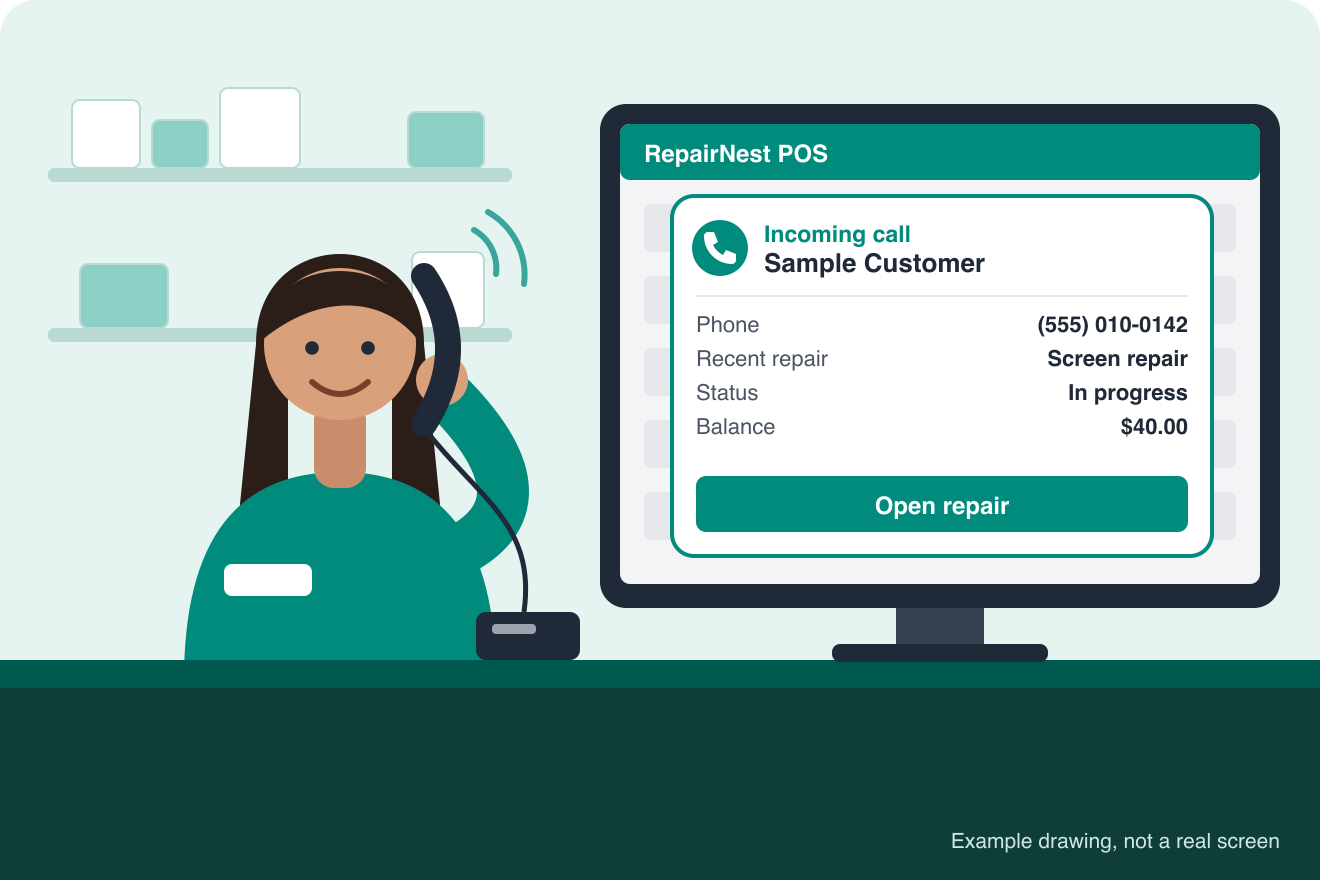
You answer the phone the way you always have. While it rings, this RingCentral repair shop integration shows your team who is calling and what their repair looks like, using the data already in RepairNest POS repair management. It is a repair shop phone integration that works with the RingCentral service you already have, for cell phone repair shops, electronics and computer repair stores, automotive repair businesses, and other busy repair environments.
1 minute 23 seconds: caller details, call logs and recordings inside RepairNest POS.
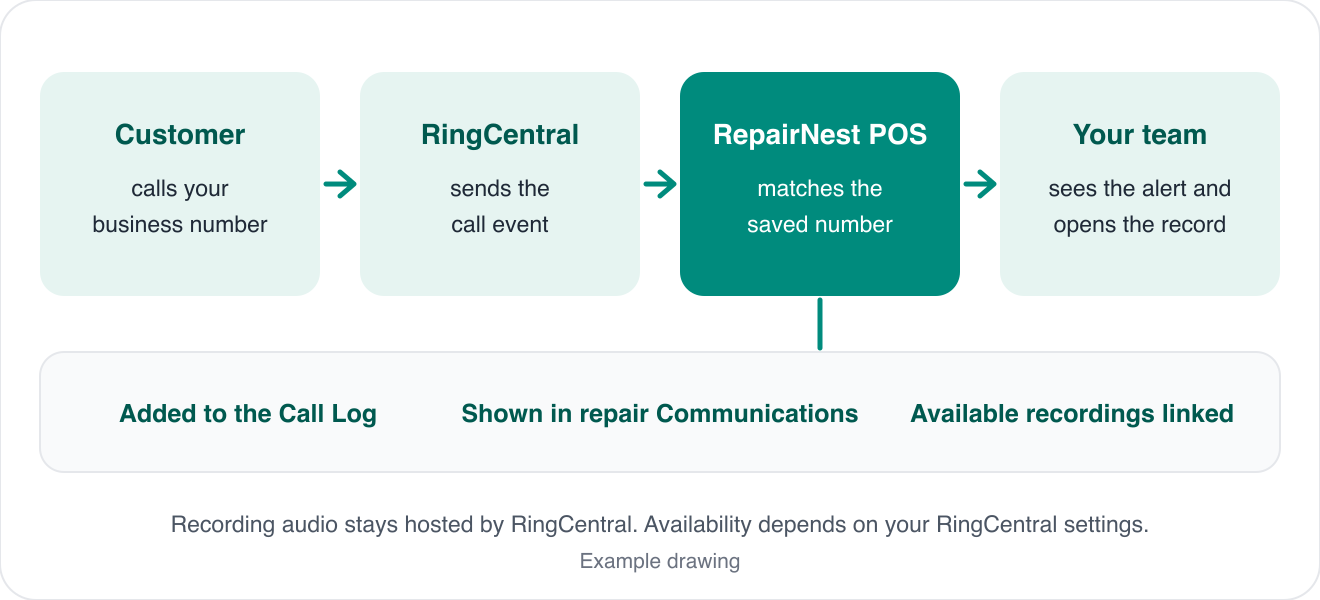
They dial your business's RingCentral number, the same way they always do.
RingCentral securely sends the call event to RepairNest POS.
RepairNest POS checks the caller's number against your saved customer numbers.
The alert shows the customer's name, phone number, recent repair, repair status, amount, and balance when available.
Your employee can jump straight to the related customer or repair.
The call is added to the searchable Call Log.
Related activity appears in the repair's Communications section.
If RingCentral provides a recording for that call, an authorized user can listen to or download it. The audio remains hosted by RingCentral.
Incoming caller recognition, alerts, and call history, all inside the system you already use to run repairs.
Please note: businesses must follow the call-recording consent and privacy laws that apply to them.
These features come from RingCentral, not RepairNest POS. They depend on your RingCentral plan and are set up in your RingCentral account.
Use one RingCentral number for your business, and let that service handle the phones.
Send calls to another extension or number, for example after hours, using your RingCentral call settings.
Text a customer your store location or a quote while you talk, using RingCentral's own messaging.
You do not need developer API keys or your own developer application. We maintain the RingCentral application credentials securely on our side, and each business connects its own RingCentral account.
A business administrator clicks Connect RingCentral in RepairNest POS.
They sign in with the business's own RingCentral login.
They authorize access, then use Refresh Status, Test Connection, or Disconnect whenever needed.
Good repair shop call tracking should save time at the counter, not add another system to check.
Know who is calling when the customer is already saved.
Spend less time looking for customer records.
Find the calls around an estimate or approval.
Open customer call history from the toolbar.
Keep a clearer record of what was said between employees and customers.
Keep calls, SMS alerts, and email alerts attached to the repair workflow.
$0 per month during the initial release
The RingCentral integration is currently included at no monthly charge during its initial release. You are still responsible for your own RingCentral service, phone numbers, plans, usage, recording features, taxes, and RingCentral-related charges.
Yes. Your business needs its own active RingCentral account, phone service, permissions, and a compatible calling plan.
No. An administrator signs in to RingCentral from RepairNest POS and authorizes access. No developer API keys are needed.
No. RepairNest POS does not store call audio. Recordings remain hosted by RingCentral.
Yes, if RingCentral provides a recording for that call and you are an authorized user.
No. It depends on your RingCentral plan, permissions, and recording settings. Call recording must be enabled in RingCentral first.
Yes. Incoming numbers are checked against the numbers saved for your customers, including customers with more than one.
The alert shows "Unknown caller." You can add the new number to a customer so it is recognized next time.
Yes. Search the Call Log by customer name, business name, or phone number.
Yes. Related calls appear in the repair's Communications section, along with SMS and email alerts.
Call routing and your business number are part of your RingCentral service, so you set them up in RingCentral.
No. This integration does not include an AI receptionist, automated phone answering, call transcription, or call summaries.
No. Two-way RingCentral text messaging inside RepairNest POS is not part of this integration.
Yes. Recording and consent laws vary by jurisdiction, and your business is responsible for following the ones that apply to it.
Trademark note: RingCentral is a trademark of RingCentral, Inc. RepairNest POS is not affiliated with or endorsed by RingCentral. RingCentral service is sold separately by RingCentral.