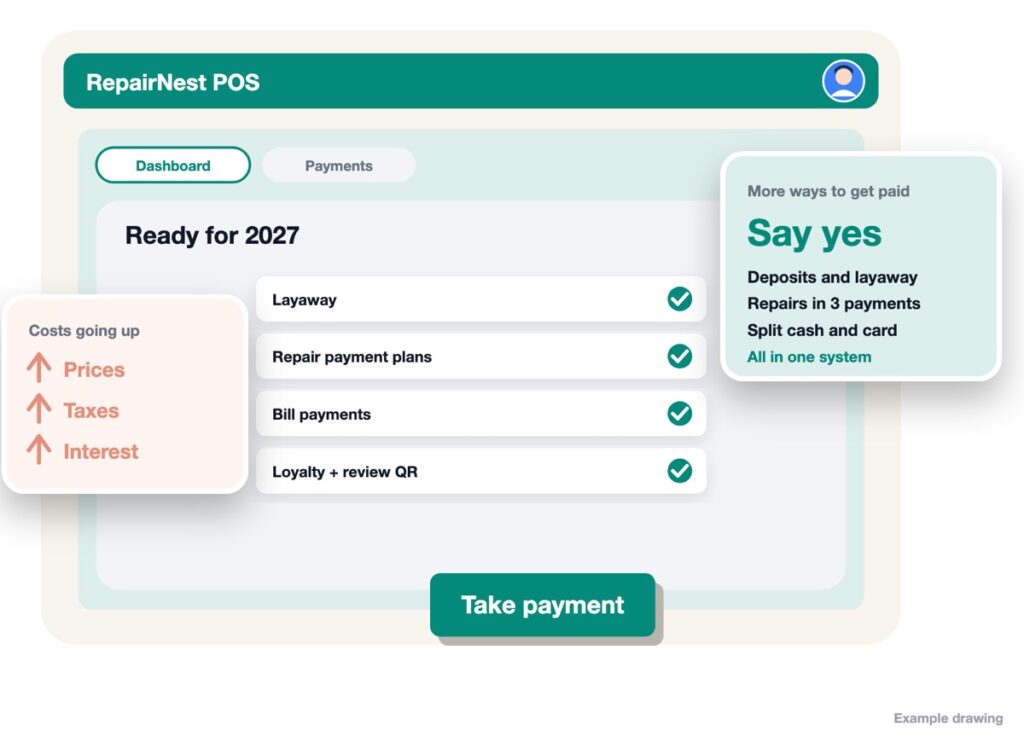
2027 looks like a tough year for small stores. Prices keep climbing, inflation worries are back in the news, there is talk of tax increases, and interest rates could stay high or go higher. Even gold, the thing people buy when they are nervous, fell to its lowest level in more than a year on November 12, 2026 as inflation fears returned.
When money gets tight, your customers still need phones, chargers and repairs. What changes is how they pay. The store that can say “yes, we can split that up” keeps the sale. The store that can only say “cash or card, full price, today” watches the customer walk out.
That is why choosing a POS system for 2027 is about more than ringing up sales. This guide walks through what your POS should do to help a cell phone store or repair shop stay ready for harder times, from someone who has run a phone store counter.
Quick Answer: What to Look For in a POS System in 2027
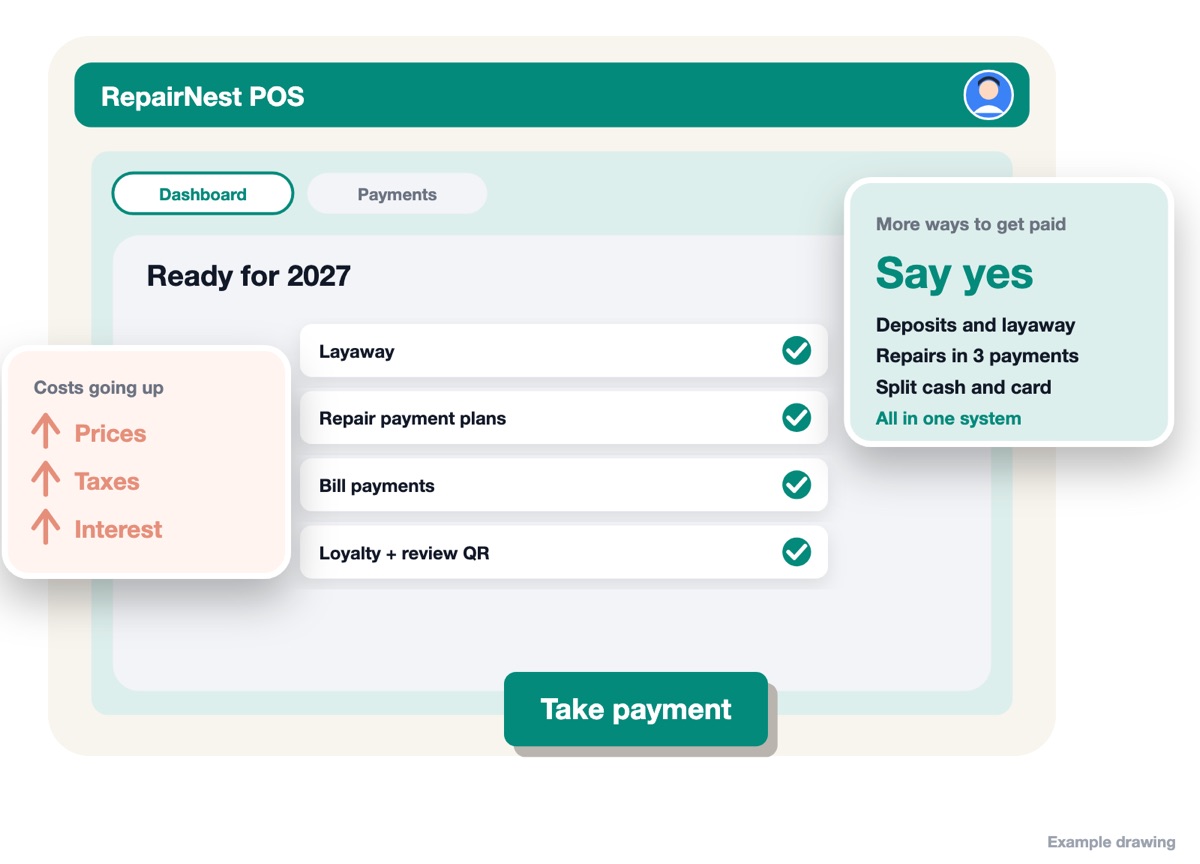
Choose a POS that gives customers more ways to pay (layaway, repair payment plans, split payments and bill payments, with receipts even when the bill payment service is down), brings them back (loyalty points, Google review QR codes on receipts, text alerts and coupons), runs a lean team (no employee limit, tiered commission, flexible registers and cash drawers) and shows your real numbers (separate taxes and surcharges, expenses for true profit and loss, product aging alerts and a nightly email) and protects you (customer history across locations and warnings about customers who filed false chargebacks).
The 2027 POS Checklist: 17 Things to Look For
- Layaway, with the phone cost recorded when it is paid off
- Repairs that can be paid in installments
- Several payment types on one sale
- A bill payment module with pending receipts for busy days
- Loyalty points customers can see
- A Google review QR code on every receipt
- Text alerts for new arrivals and deals
- Coupons printed on demand or automatically
- No limit on employees
- Tiered commission
- Flexible registers and cash drawers
- Separate taxes and surcharges
- Expenses, for a true profit and loss report
- Product aging alerts
- A nightly email about your day
- Customer history across every location
- Customer warnings, for example after a false chargeback
Part 1: Give Customers More Ways to Pay
1. Layaway: Sell the Phone Before You Even Buy It
Layaway is the most underrated tool in a phone store. Here is how it works. A customer walks in and falls in love with a phone that sells for $1,600, but payday is two weeks away. Without layaway, they say “I’ll come back”, and on payday they buy it from the first store they walk into.
With layaway, they put down a small deposit, even $5, $10 or $15, and the phone is reserved in their name. You print a layaway receipt with the deposit, the balance and the next payment date. Payments can be weekly, monthly or left open. When the customer has paid it off, you hand over the phone.
A simple script for your employees:
“This phone is on sale right now, and I can hold that price for you. I have it in the red, or any color you like. Put down $10 today and it’s reserved in your name. Come back on payday, pay the difference and it’s yours.”
That deposit is easy money, and more important, the customer now has a reason to come back to you. They already reserved the phone with your store, so they are not going to shop around.
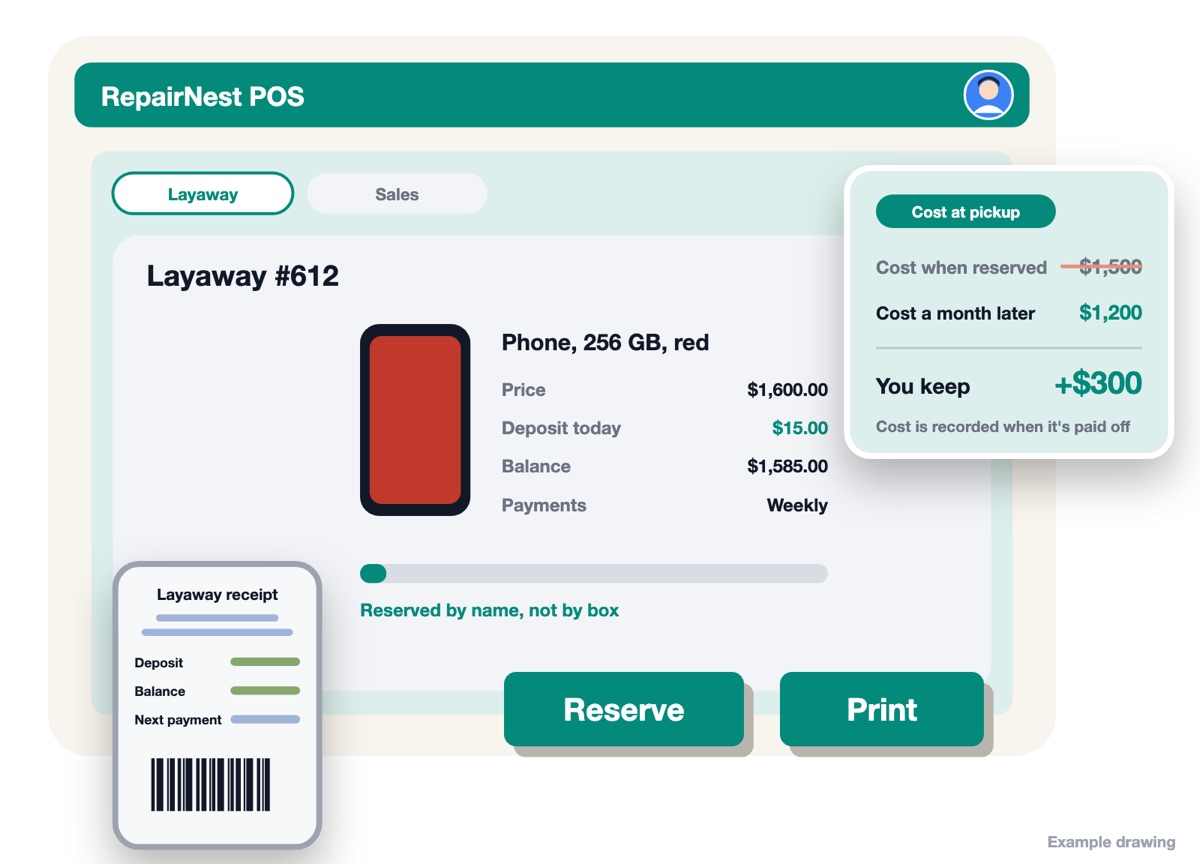
Why layaway can make you more money: phones are the opposite of gold. Gold has dipped lately, but over the long run it has always climbed. Phone and electronics prices do the opposite: they drop every month a model gets older. When you reserve a phone by name instead of pulling a box off the shelf, you buy it when the customer pays it off. Say the phone cost you $1,500 on the day of the deposit and you sold it for $1,600. A month later, when the customer finishes paying, the same phone might cost you $1,200. That is $300 more profit, simply because you never had to buy the phone up front.
For that to show up in your reports, your POS must record the phone’s cost on the day the layaway is completed, not the day it was created. RepairNest POS does exactly that. See how layaway works in RepairNest POS.
2. Repairs That Can Be Paid in Installments
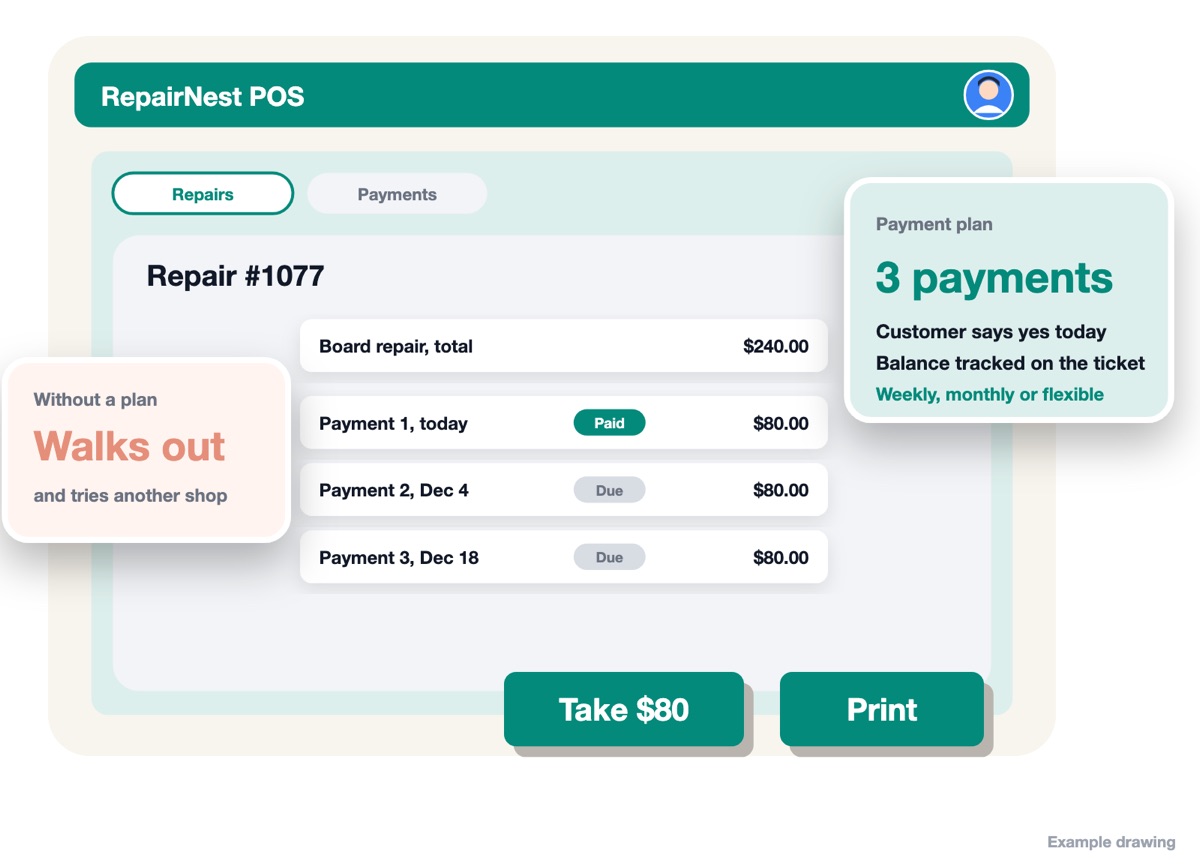
A $240 board repair is a lot of money for some customers right now. If your only option is “pay in full at pickup”, some of them will walk out and try a cheaper shop. A POS that lets you split a repair ticket into 3 payments, with the balance tracked on the ticket, turns that “no” into a “yes”. RepairNest POS lets you take payments on a repair ticket over time, so the customer pays part today and the rest later.
3. Several Payment Types on One Sale
Some cash, the rest on a card. Part store credit, part cash. Your POS should take more than one type of payment on the same sale without workarounds. If you take cards, also look at true dual pricing, which shows a card price and a cash price on every sale.
4. A Bill Payment Module That Keeps the Line Moving
Bill payments bring people into your store every month, and in busy urban areas they all come at once. Paychecks and assistance money arrive around the 1st, so from about the 29th to the 2nd everyone rushes in to pay their bill. Every store in the area is using the same bill payment service at the same time, and that service often slows down or goes down completely.
A good POS lets you take the payment and give the customer a receipt right away, even while the service is down. The customer gets a text message saying their bill will be paid soon, so they can walk out without worrying. When the service is back up, you pay the pending bills. If it is not down, you just pay it right away. RepairNest POS works exactly like this, and it shows you how many bills are still pending so none are forgotten.
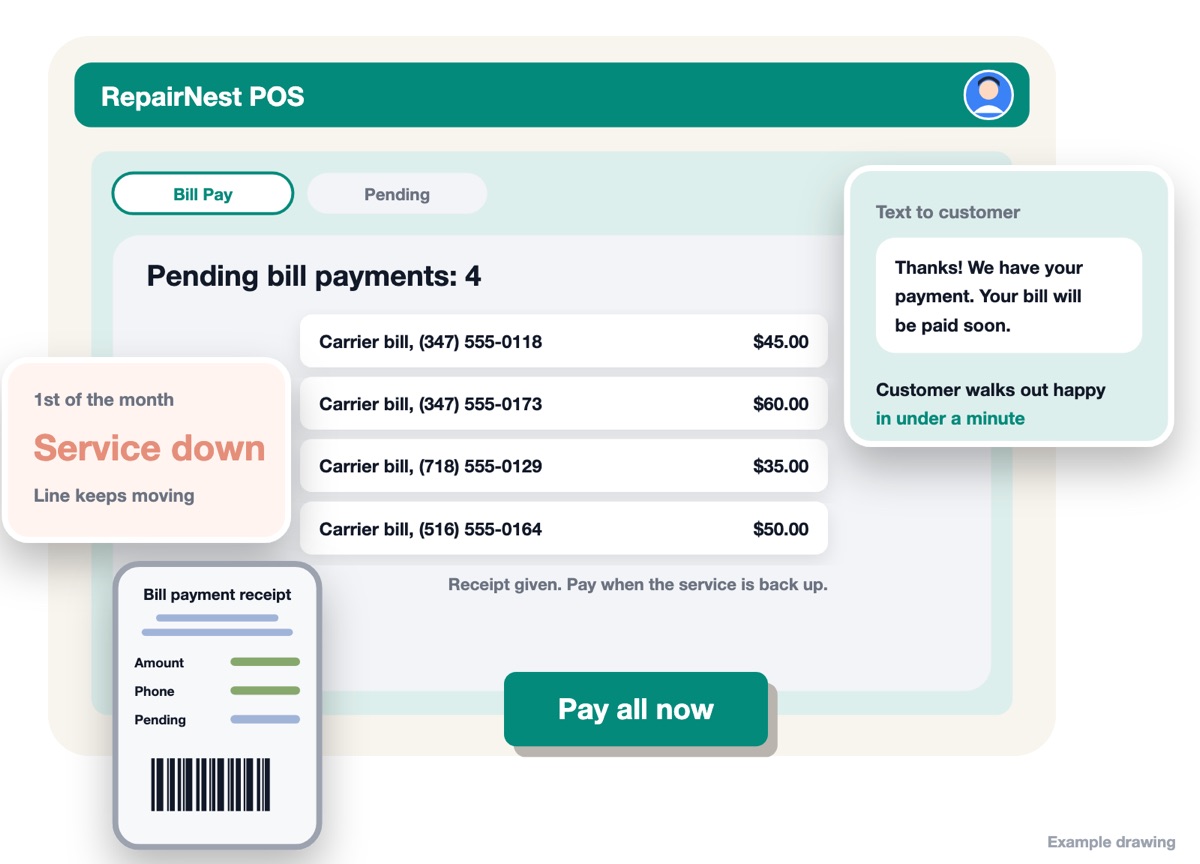
Why this matters in a one-person store: you don’t make money on the bill payment itself. You make it on the phones and accessories you sell. When one employee has to stop for every bill and fight through a slow online payment site that asks for the phone number twice and a list of questions, the customer who wants to buy something waits, or leaves. With pending receipts, the bill customer is out in under a minute, your employee helps the buying customer, and when the store slows down they pay all the pending bills in one go.
It is faster at the counter too. In RepairNest POS you type the phone number once and the customer’s history comes up: what they pay, how long they have been paying with you, and at which location. See the RepairNest POS bill payment module.
Try These Payment Options Yourself
Open a sample store and try a layaway, a repair payment plan and a split payment.
Part 2: Bring Customers Back
5. Loyalty Points Customers Can See
When budgets are tight, customers stick with the store that rewards them. Loyalty should be built into your POS, not bolted on, and customers should be able to see their points easily. See loyalty in RepairNest POS.
6. A Google Review QR Code on Every Receipt
Reviews are free marketing. A QR code printed on the receipt lets a happy customer leave a Google review in seconds, while the visit is still fresh. More reviews help you show up on Google and on social media. RepairNest POS prints a Google review QR code on receipts.
7. Text Alerts for New Arrivals and Deals
Got a new phone in, or a deal on cases? Your POS should let you text your customers about it. RepairNest POS sends text messages to customers, at 3 cents per text.
8. Coupons Printed on Demand or Automatically
A coupon on the receipt gives the customer a reason to come back. Your POS should let you print one whenever you want, or automatically based on your own settings. RepairNest POS prints coupons both ways: on demand at the counter, or automatically on receipts based on the rules you set.
Part 3: Run a Lean Team
9. No Limit on Employees
In this business, employees come and go. Many POS systems charge per user, so every new hire costs you more each month. Look for a POS with no employee limit. RepairNest POS is one plan per location with no limit on employees.
10. Tiered Commission
A flat commission pays the same whether an employee sells 2 chargers or 20. Tiered commission rewards the employees who push harder. For example: chargers 1 to 5 pay $0.50 each, chargers 6 to 10 pay $1.00 each, and every charger after that pays $1.50. You can give different employees different tiers.
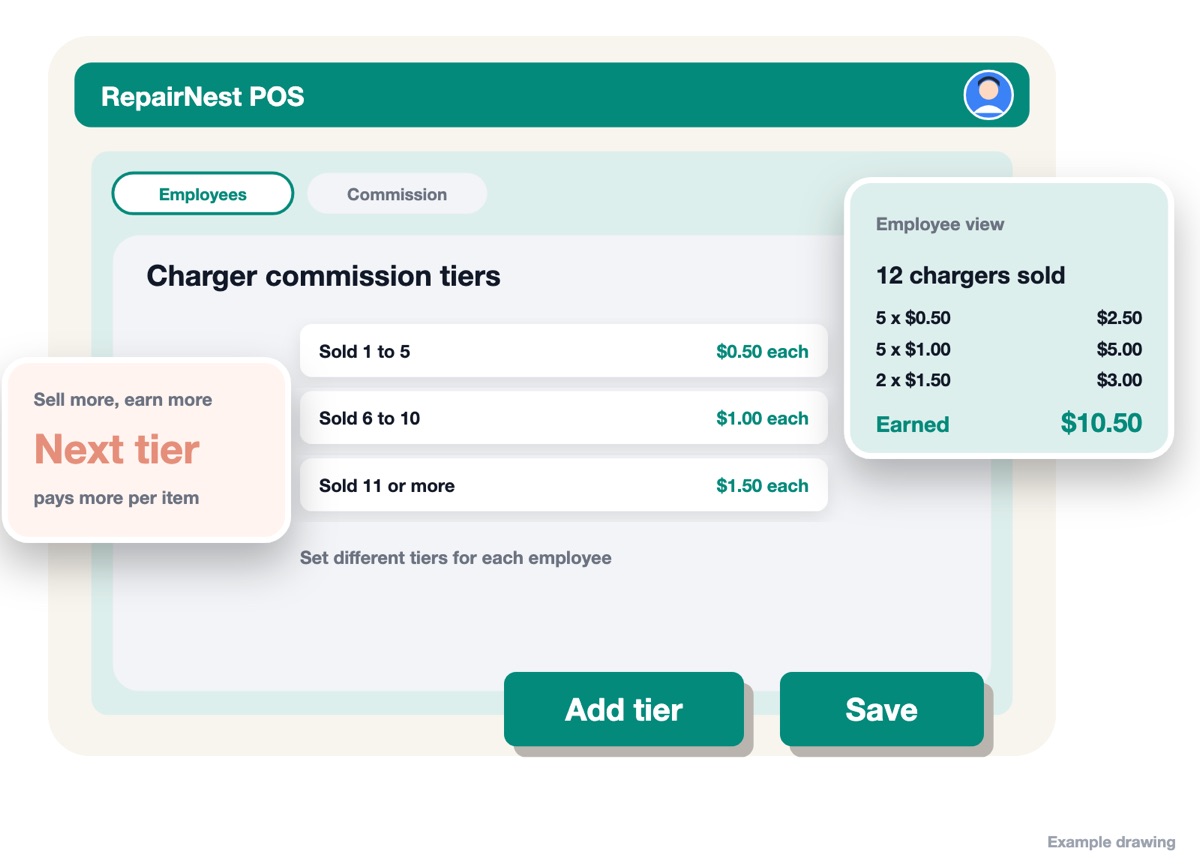
Not every POS offers tiers. CellSmart POS and Wireless Standard both offer tier-based commission. RepairDesk offers commission by employee, by category and by item, but not tiers. RepairNest POS includes tiered commission in its one plan.
11. Flexible Registers and Cash Drawers
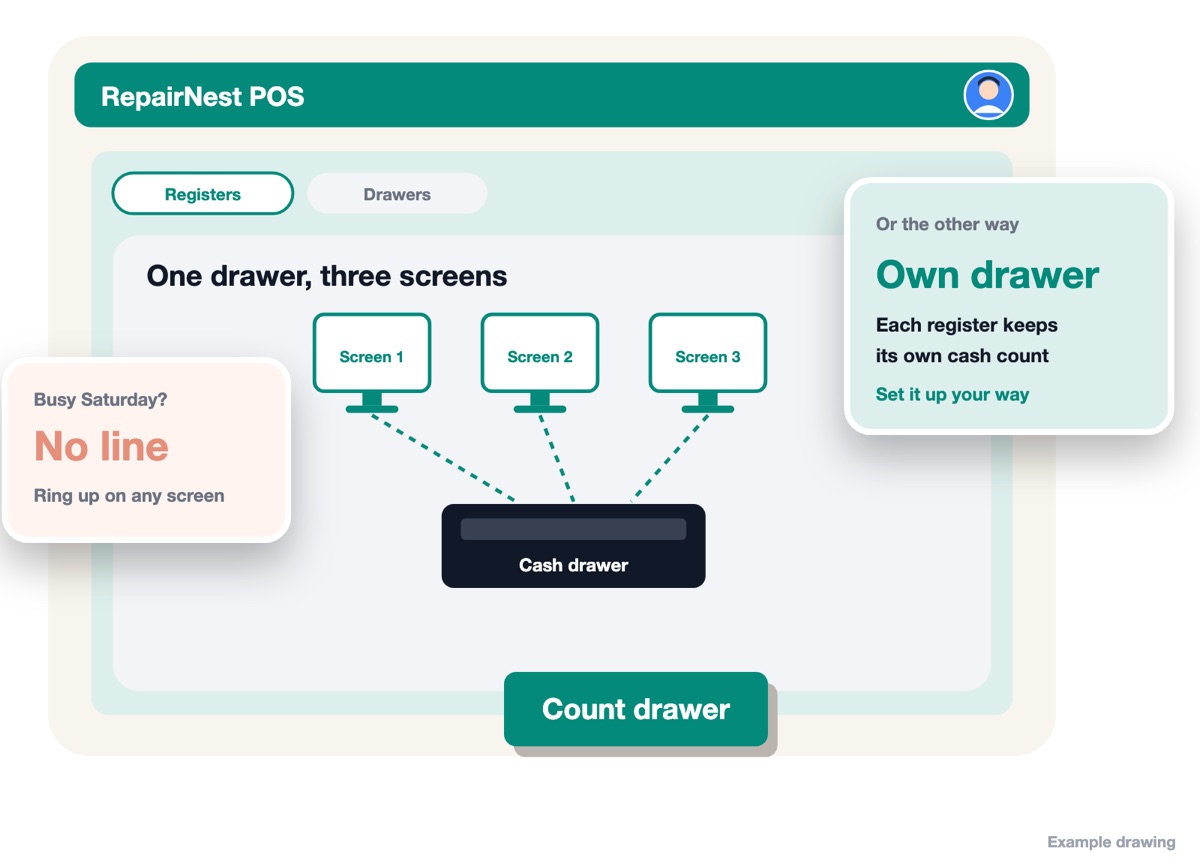
Some stores have five computers and one cash drawer. Others give each register its own drawer and count. Your POS should handle both, so a busy Saturday never depends on a single register. RepairNest POS can run several computers on one cash drawer, or give each register its own drawer with its own cash count. Add a cash drawer PIN lock to see who opened it.
Part 4: Know Your Real Numbers
12. Separate Taxes and Surcharges
If taxes go up, or you need to charge extra on certain services, your POS should handle more than one tax rate and a separate surcharge, without mixing the two. That keeps your tax reports clean and your extra charges clear.
13. Expenses, for a True Profit and Loss Report
Sales are not profit. When you can enter your expenses in the POS, you get a true profit and loss report without paying for another program. Every extra piece of software is another monthly bill. See expense tracking in RepairNest POS.
14. Product Aging Alerts
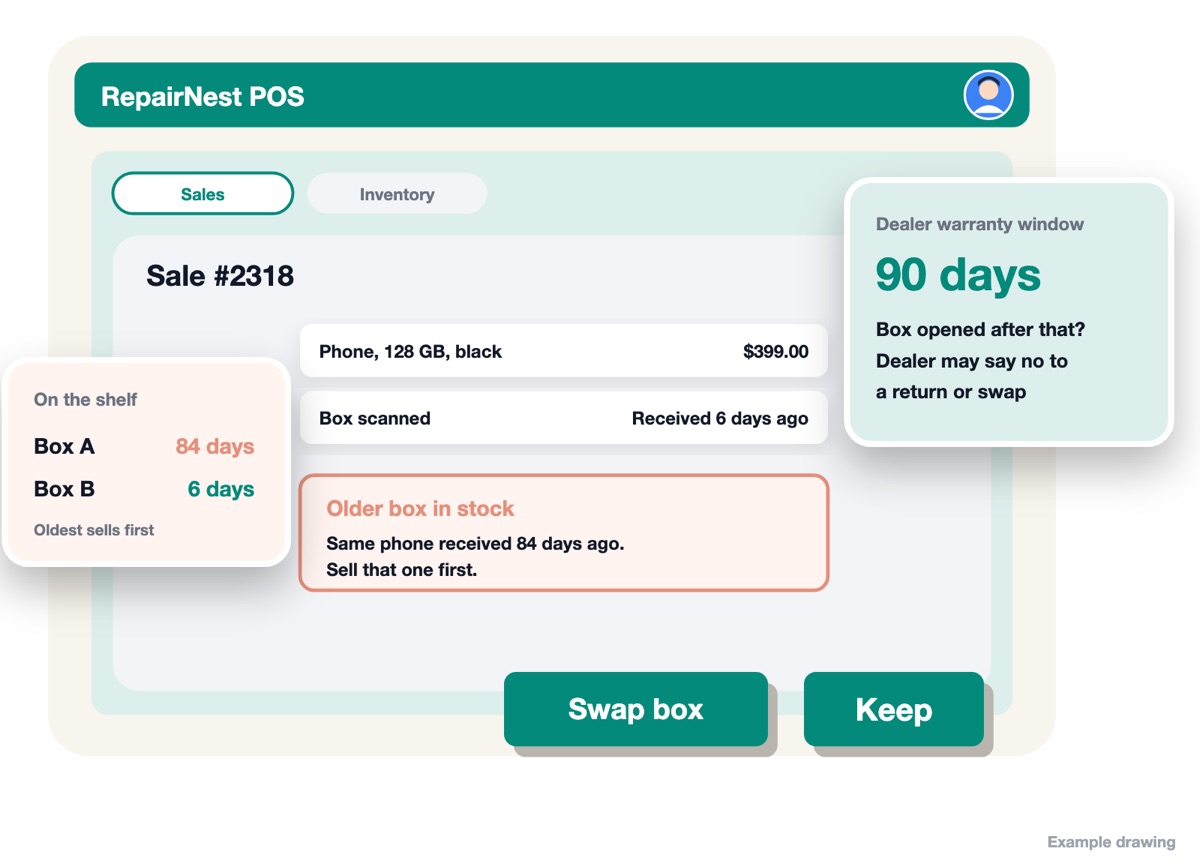
Everyone knows fruit expires. People in the phone business know that a sealed phone box can “expire” too. A dealer usually gives you 60 to 90 days: open the box in that window, find the phone dead or damaged, and they will refund or replace it.
Here is the trap. You buy 10 phones, sell 7, then buy 10 more. The 3 older boxes get pushed to the back while employees keep grabbing the newest ones. Months later you finally reach that old box, open it for a customer, and the phone won’t turn on. Now the dealer says it is too late.
A grocery store brings the oldest stock to the front. Your POS should do the same for you. RepairNest POS warns the employee during the sale when an older box of the same phone is in stock, so they sell that one first.
15. A Nightly Email About Your Day
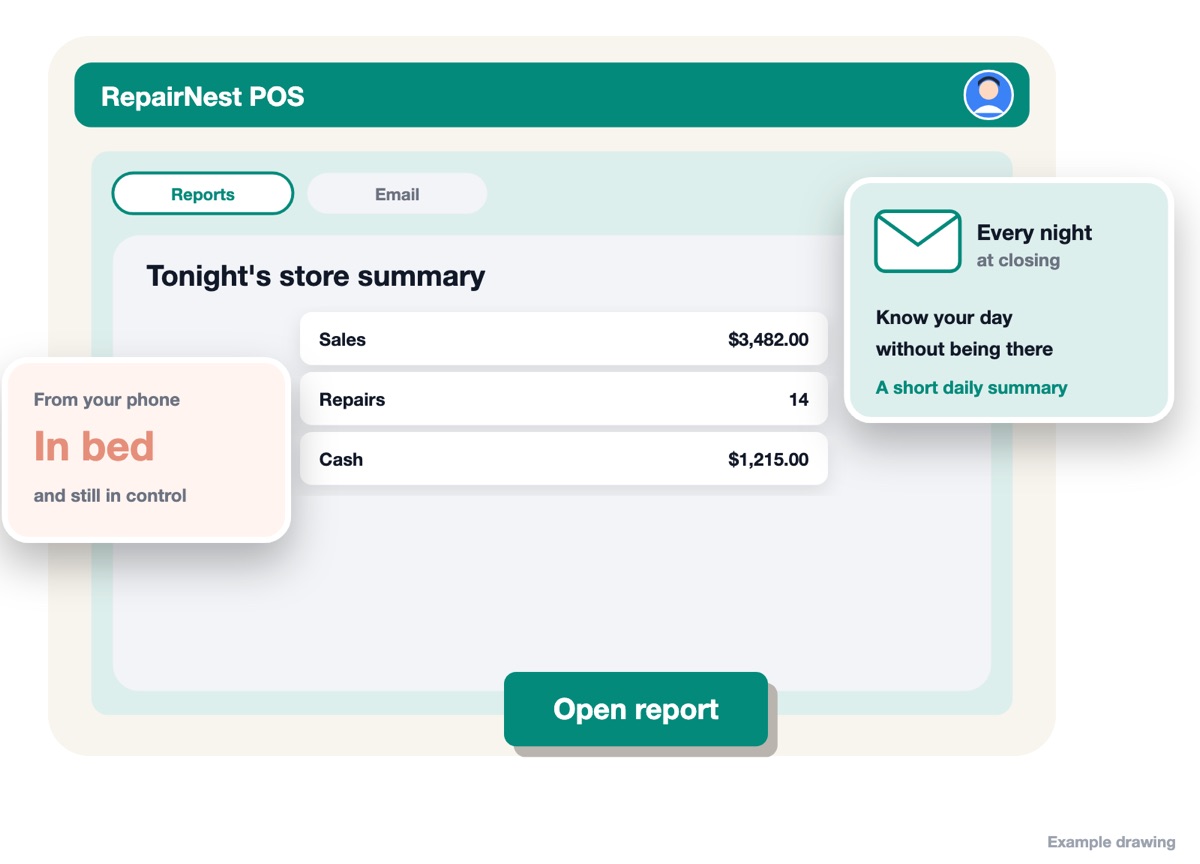
Whether you run one store or several, you should know how the day went without being there. Your POS should email you a summary every night at closing. RepairNest POS sends a short nightly summary of the day. Some systems go further: CellSmart POS, for example, also lists what was purchased that day, which helps you catch merchandise that was bought but never added to stock.
Part 5: Know and Protect Your Customers
16. Customer History Across Every Location
If you have more than one store, customers will visit more than one of them. Your POS should be built for multiple locations, so any store can look up a customer by name or phone number and see their bill payment history and purchases from every location. A customer who paid at Store A last month should not be a stranger at Store B today. RepairNest POS keeps one customer history across all your locations.
17. Customer Warnings for Every Store and Employee
Some customers file false chargebacks: they pay by card, take the phone, then tell their bank they never bought it. Your POS should let you put a warning on that customer, so every employee at every location sees it before taking their card. You can still sell to them, but the note might say “false chargeback in October, cash only” or simply “be careful”.
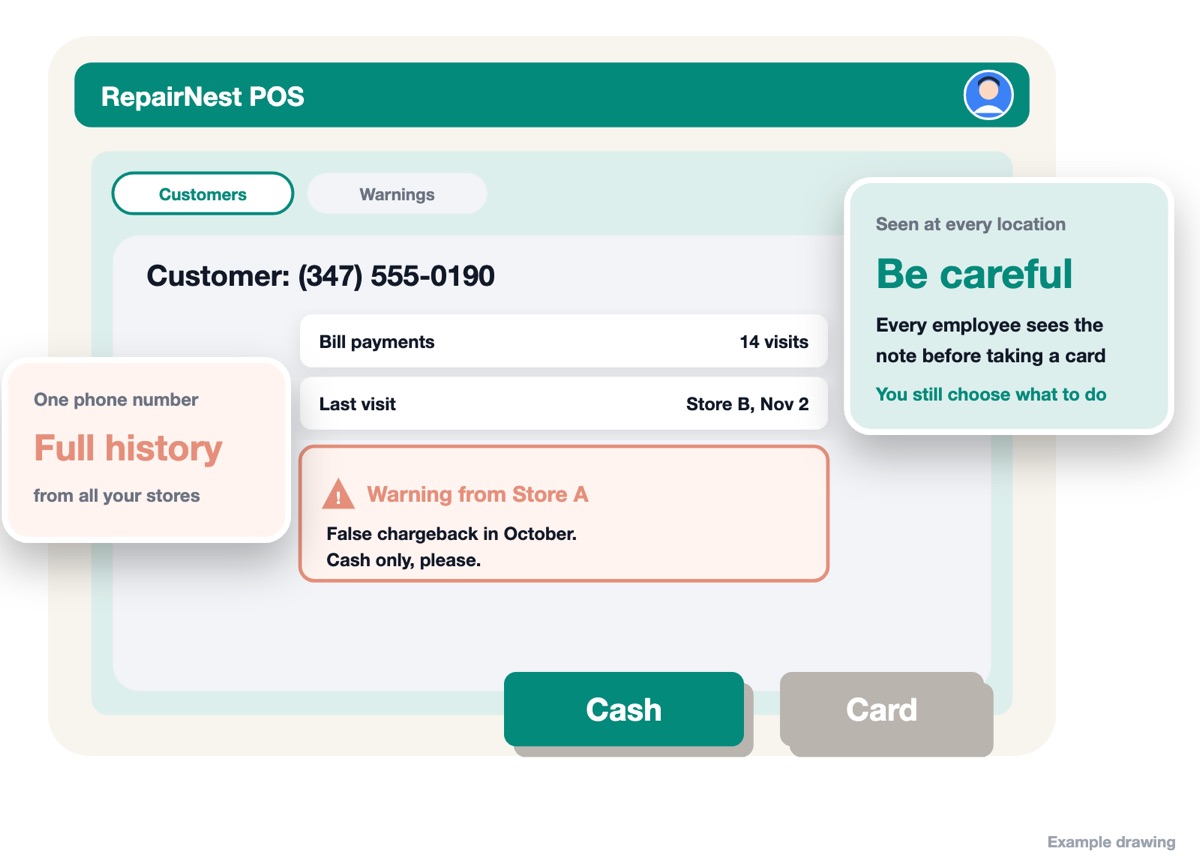
RepairNest POS has customer warnings built in. When we checked, RepairDesk and CellSmart POS did not offer this.
How RepairNest POS Fits This List
RepairNest POS was started by a New York cell phone store owner who needed software built for this kind of business. Layaway, repair payment plans, bill payments, loyalty, Google review QR codes, tiered commission, flexible registers, expenses, product aging alerts, coupons, pending bill payment receipts, customer history across locations, customer warnings and the nightly email are all in one plan: $100 per month per location, or $80 per month billed annually, with no limit on employees. Phone support is available 8 AM to midnight, 7 days a week.
No system is perfect for everyone, so try any POS yourself before you decide, and ask each company to show you the items on this list.
See It on Your Own Counter
Try RepairNest POS yourself: create a layaway, split a repair into payments and print a receipt.
Frequently Asked Questions
How do I choose a POS system for a cell phone store?
Start with how your customers pay and what your employees do all day. Look for layaway, repair tickets with payment plans, IMEI tracking, bill payments, loyalty, commission and clear daily reports, and check whether the price grows with every employee you add.
What is layaway in a phone store?
Layaway lets a customer reserve a phone with a small deposit and pay the rest over time, weekly, monthly or whenever they can. The customer gets the phone when it is paid off, and the store keeps the customer instead of losing them to another shop.
Why should the phone cost be recorded when the layaway is completed?
Because you may not buy the phone until the customer pays it off, and phone prices usually drop over time. Recording the cost on the completion day shows your real profit on that sale.
What is tiered commission?
Tiered commission pays employees a higher rate as they sell more, for example $0.50 per charger for the first 5 and $1.00 for the next 5. It rewards your best sellers more than a flat rate does.
What should I do when the bill payment service is down?
Use a POS that lets you take the payment, give the customer a receipt and send them a text saying the bill will be paid soon. Then pay all the pending bills when the service is back up. RepairNest POS shows you how many bills are still pending.